Welcome to new forum software
Re: Welcome to new forum software
Scott, I was thinking about getting a new pair of sunglasses, but I have not see any ad on that popped up. The only ones I got seem to be related to dating ladies from Thai, which I have never thought of.
2000 Concourse dinette, on 1999 6.8L Ford E350 Triton V-10 Chassis
Re: Welcome to new forum software
you are right that it was called subsilver and I liked it too. Unfortunately that theme is no longer supported by the phpbb folks. Hasn't been for a long time.Blue~Go wrote: April 17th, 2018, 8:36 am I have a question. Not sure I have the right terminology, but if possible, I would like to change the forum "interface" back to the one I had before. It was the default. Might have been called sub silver or something like that? I looked around in the various controls I have but didn't see anyplace to adjust my view.
Reasons I liked that one were that it was easier for me to read, and also the functions I used every day (new posts since last visit, and active topics) were available with a click vs. a drop down menu and then select and click.
Not trying to make you re-invent anything, but I think there is usually a way to set the view but I just can't find it.
Re: Welcome to new forum software
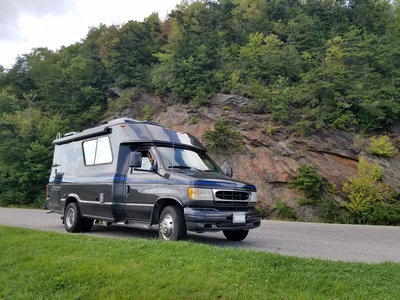
"tip jar" image(s) have been reduced to 1 of 5 instead of 3 of 7. I really should get some new chinook images in play.. any suggestions? They don't have to do the fade to the right like it was before. Should be able to work in whatever now.

Re: Welcome to new forum software
So we could just give you any photos basically? It was the complicated fade thing before that discouraged me. Hmm, so how to collect images? PM them to you? Start a thread for a "pool" to draw from? I don't know how it works on your end, so maybe you can suggest something? It would be fun to have a rotating pool of members' Chinooks but we don't want to make it like a third job for you or anything.
1999 Concourse
Re: Welcome to new forum software
Oh, meant to add:
Scott: Thanks for the tip on making "new posts" my bookmark. Actually, I already do that, but here is what I do (but maybe there is a better way). So, for example, I come here via my "new posts" bookmark, and there are six new posts. I click on the first one and reply to it. Now I no longer want to use my back button, as it will go through all the composing windows, so I just go up and click on "new posts" again, and it brings me right to the remaining five new posts. And on I go, working my way through the list. Maybe I remember something I want to add, so I use "active topics" to find a formerly new post I had commented on.
Yes, I can use the little drop down menu - it's not like it's THAT hard. Or I could go up and click the arrow on my back button and choose from a list of "backs" not just the most recent one. I guess it's human nature though that since it was just one click in the previous forum software, now I don't want it to be harder in this one! Come on, phpbb, that's going backwards!
Still, no huge deal in the grand scheme of things; but if it was something I could enable I wanted to know how.
Manitou: Thanks for letting me know about Sub Silver. Mostly I just miss that mini menu across the top for new posts, active topics, and etc. But I can live without it. Not your fault if they discontinue something.
Scott: Thanks for the tip on making "new posts" my bookmark. Actually, I already do that, but here is what I do (but maybe there is a better way). So, for example, I come here via my "new posts" bookmark, and there are six new posts. I click on the first one and reply to it. Now I no longer want to use my back button, as it will go through all the composing windows, so I just go up and click on "new posts" again, and it brings me right to the remaining five new posts. And on I go, working my way through the list. Maybe I remember something I want to add, so I use "active topics" to find a formerly new post I had commented on.
Yes, I can use the little drop down menu - it's not like it's THAT hard. Or I could go up and click the arrow on my back button and choose from a list of "backs" not just the most recent one. I guess it's human nature though that since it was just one click in the previous forum software, now I don't want it to be harder in this one! Come on, phpbb, that's going backwards!
Still, no huge deal in the grand scheme of things; but if it was something I could enable I wanted to know how.
Manitou: Thanks for letting me know about Sub Silver. Mostly I just miss that mini menu across the top for new posts, active topics, and etc. But I can live without it. Not your fault if they discontinue something.
1999 Concourse
Re: Welcome to new forum software
Manitou:
Just want to say how much I like the new forum header (with the Smoky Mountains looking sunset). It is fantastic!
(Though I didn't want to complain, I wasn't fond of other one, but this one is not only good, it's GREAT!)
Thanks so much for taking the time to make this new one. It makes me want to hit the road
BG
Just want to say how much I like the new forum header (with the Smoky Mountains looking sunset). It is fantastic!
(Though I didn't want to complain, I wasn't fond of other one, but this one is not only good, it's GREAT!)
Thanks so much for taking the time to make this new one. It makes me want to hit the road
BG
1999 Concourse
Re: Welcome to new forum software
All credit for that image goes to HoosierB.
I requested some tweaks to make in blend in a bit, but looks like it'll be sticking around in 1 form or another.
I requested some tweaks to make in blend in a bit, but looks like it'll be sticking around in 1 form or another.